Best Animated Website Libraries for Next.js and React in 2026
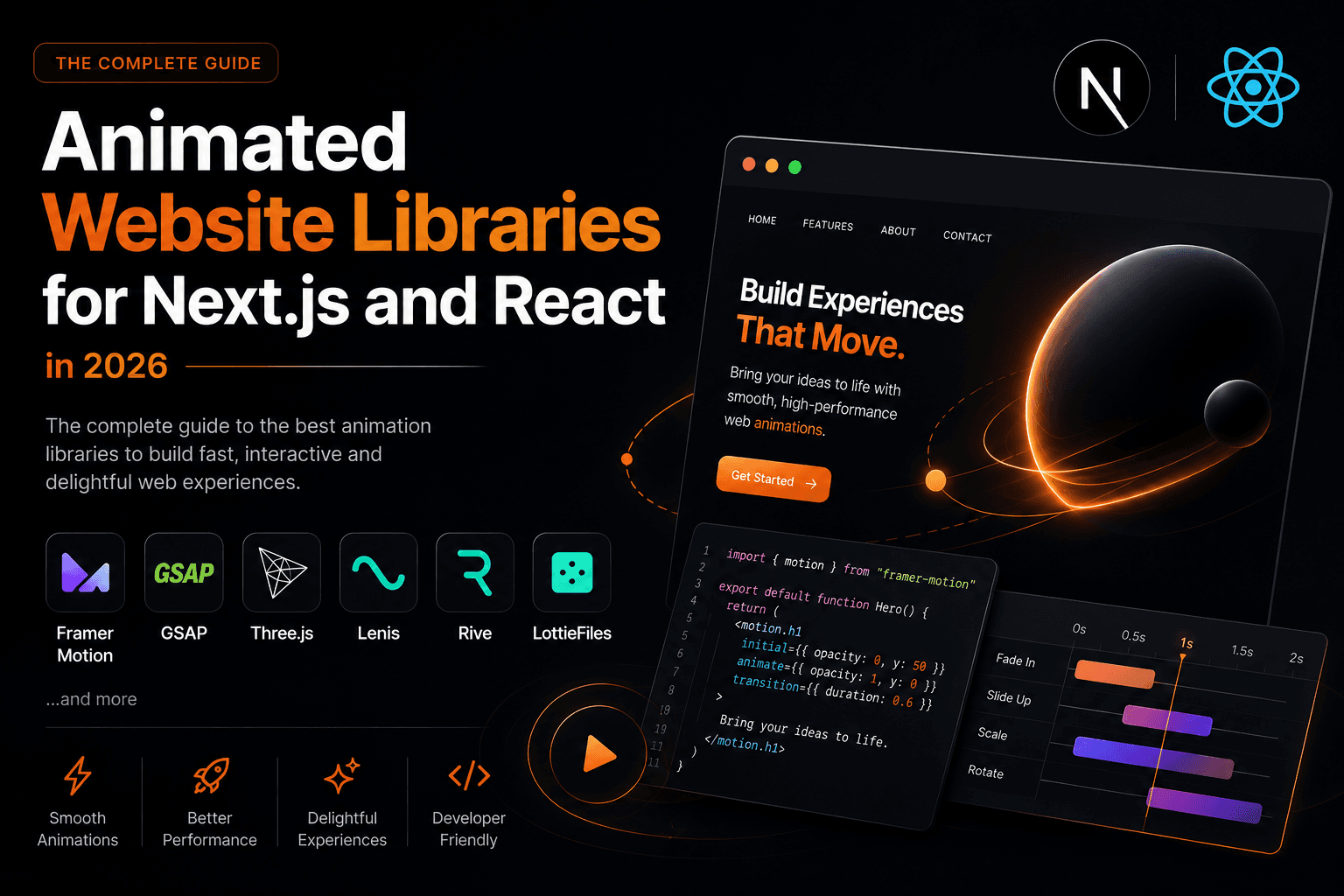
An animated website is not about making things move for the sake of it. It is about building a digital environment where motion communicates hierarchy, confirms interactions, and creates the feeling that something living sits on the other side of the screen. Choosing the right tool for that job is one of the most consequential technical decisions a frontend developer makes, because the wrong choice means performance problems, bundle bloat, or animations that fight the framework rather than work with it.
This guide covers every major library in the 2026 animation ecosystem: motion engines, physics-based libraries, 3D rendering tools, smooth scroll utilities, designer-to-code animation formats, and the newer copy-paste component kits. Each section includes installation steps, real code examples, honest guidance on when the library earns its place, and links to real websites built with it, including some from my own projects .
The Animation Ecosystem in 2026
The ecosystem splits cleanly into categories. Knowing which category a library belongs to helps you avoid picking the wrong tool for a job it was never designed for.
| Category | What it solves | Key libraries |
|---|---|---|
| Motion engines | Animating DOM elements, components, gestures | Motion , GSAP , React Spring , Anime.js |
| 3D rendering | WebGL scenes, 3D models, shaders | Three.js , React Three Fiber + Drei |
| Smooth scroll | Inertia-based scroll, scroll sync with animations | Lenis |
| Designer-to-code formats | Playing complex animations created in design tools | LottieFiles / DotLottie , Rive |
| Copy-paste component kits | Pre-built animated UI components | Aceternity UI , Magic UI , React Bits |
Most production sites use one tool from two or three of these categories together. The rest of this guide covers each library in depth, with practical guidance on installation, usage, and real-world examples.
Motion (Formerly Framer Motion)
Motion , the library previously known as Framer Motion, is the default choice for React UI animations in 2026. With approximately 35 million weekly npm downloads, it is by far the most widely adopted animation library in the React ecosystem. Its declarative API means animations live as props on components, not in separate animation files or useEffect blocks.
Installation
npm install motionBasic Usage
"use client";
import { motion } from "motion/react";

export function FadeCard() {
  return (
    <motion.div
      initial={{ opacity: 0, y: 28 }}
      animate={{ opacity: 1, y: 0 }}
      transition={{ duration: 0.45, ease: "easeOut" }}
      className="rounded-2xl bg-white p-8 shadow-md"
    >
      Your content
    </motion.div>
  );
}
AnimatePresence for Exit Animations
React unmounts components instantly with no exit phase. AnimatePresence wraps conditional renders and holds the component in the DOM long enough to finish its exit animation before removal. This is the single feature that makes Motion irreplaceable in React.
"use client";
import { AnimatePresence, motion } from "motion/react";
import { useState } from "react";

export function Modal({ isOpen, children }) {
  return (
    <AnimatePresence>
      {isOpen && (
        <motion.div
          initial={{ opacity: 0, scale: 0.96 }}
          animate={{ opacity: 1, scale: 1 }}
          exit={{ opacity: 0, scale: 0.96 }}
          transition={{ duration: 0.2, ease: "easeOut" }}
          className="fixed inset-0 flex items-center justify-center"
        >
          {children}
        </motion.div>
      )}
    </AnimatePresence>
  );
}
Page Transitions in Next.js App Router
// app/layout.tsx
"use client";
import { AnimatePresence, motion } from "motion/react";
import { usePathname } from "next/navigation";

export default function RootLayout({ children }) {
  const pathname = usePathname();
  return (
    <html lang="en">
      <body>
        <AnimatePresence mode="wait" initial={false}>
          <motion.div
            key={pathname}
            initial={{ opacity: 0, y: 16 }}
            animate={{ opacity: 1, y: 0 }}
            exit={{ opacity: 0, y: -16 }}
            transition={{ duration: 0.3 }}
          >
            {children}
          </motion.div>
        </AnimatePresence>
      </body>
    </html>
  );
}
Real-World Examples
The hotel and cafe site I built for Ghar Bar Boutique Stay uses Motion throughout: room cards animate on scroll reveal, gallery images fade with staggered entrance, and navigation transitions between pages smoothly. Basement Studio from Argentina and the Luminary agency site from Australia, both highlighted on Awwwards, rely on Motion as their primary React animation layer for this exact kind of component-level polish.
When to Use Motion
- Any React component that mounts, unmounts, or transitions between states
- Modals, drawers, toasts, popovers, dropdowns
- Page transitions in Next.js App Router
- Gesture-driven interactions: drag, hover, tap
- Layout animations when siblings shift on reorder
-
Scroll-linked parallax via
useScrollanduseTransform
One licensing note: GSAP is now owned by Webflow and its license bars use in competing tools. Motion is MIT-licensed with no such restriction, which matters on agency and SaaS projects.
GSAP: GreenSock Animation Platform
GSAP is the industry benchmark for complex, professionally timed web animation. Agency creative directors, motion designers, and interactive developers have used it since Flash died. The reason is simple: nothing else matches the precision of its timeline model for choreographing multiple elements in a single sequence.
Installation
npm install gsap @gsap/reactHero Sequence Example in Next.js
"use client";
import gsap from "gsap";
import { ScrollTrigger } from "gsap/ScrollTrigger";
import { useGSAP } from "@gsap/react";
import { useRef } from "react";

gsap.registerPlugin(ScrollTrigger);

export function HeroSection() {
  const containerRef = useRef(null);

  useGSAP(() => {
    const tl = gsap.timeline({ delay: 0.2 });
    tl.from(".hero-eyebrow", { y: 20, opacity: 0, duration: 0.5, ease: "power2.out" })
      .from(".hero-headline", { y: 32, opacity: 0, duration: 0.7, ease: "power3.out" }, "-=0.2")
      .from(".hero-subtext", { y: 20, opacity: 0, duration: 0.5 }, "-=0.3")
      .from(".hero-cta", { scale: 0.9, opacity: 0, duration: 0.4 }, "-=0.2");
  }, { scope: containerRef });

  return (
    <section ref={containerRef} className="relative flex min-h-screen flex-col items-center justify-center">
      <span className="hero-eyebrow text-sm uppercase tracking-widest text-neutral-400">Frontend Developer</span>
      <h1 className="hero-headline mt-4 text-6xl font-bold">Building animated ecosystems.</h1>
      <p className="hero-subtext mt-6 max-w-xl text-lg text-neutral-600">Next.js, Three.js, and everything that makes a site feel alive.</p>
      <a className="hero-cta mt-8 rounded-full bg-black px-8 py-4 text-white" href="/contact">Start a project</a>
    </section>
  );
}
ScrollTrigger Pinned Section
"use client";
import gsap from "gsap";
import { ScrollTrigger } from "gsap/ScrollTrigger";
import { useGSAP } from "@gsap/react";
import { useRef } from "react";

gsap.registerPlugin(ScrollTrigger);

export function PinnedReveal() {
  const sectionRef = useRef(null);

  useGSAP(() => {
    gsap.fromTo(
      ".reveal-text",
      { opacity: 0, y: 60 },
      {
        opacity: 1,
        y: 0,
        duration: 1,
        ease: "power3.out",
        scrollTrigger: {
          trigger: sectionRef.current,
          start: "top 80%",
          end: "top 30%",
          scrub: 1,
        },
      }
    );
  }, { scope: sectionRef });

  return (
    <section ref={sectionRef} className="min-h-screen flex items-center justify-center">
      <h2 className="reveal-text text-5xl font-bold">Revealed on scroll</h2>
    </section>
  );
}
Real-World Examples
Immersive Garden from France, whose portfolio won multiple Awwwards, uses GSAP as its animation engine for scroll-driven narrative sequences. The site for Enigma Digital from India uses GSAP ScrollTrigger for its staggered section reveals. On my own stack, the Hamarakhet agritech platform uses GSAP for the choreographed landing animations, where multiple panels and stat counters need to enter in a precisely timed sequence.
When to Use GSAP
- Complex multi-element entrance sequences with exact timing relationships
- Scroll-driven narratives, pinned sections, scrub animations via ScrollTrigger
- SVG path drawing, morphing, and strokes
- Projects not exclusively in React (GSAP works with Vue, Svelte, vanilla JS)
- Award-level portfolio and agency sites where animation is the central product
Licensing note: GSAP core and ScrollTrigger are free. Premium plugins (MorphSVG, SplitText, ScrollSmoother) require a paid Club GSAP membership for commercial use. Since Webflow acquired GSAP, its license explicitly prohibits use in tools that compete with Webflow. Check before using it in a competing product.
React Spring
React Spring uses spring physics instead of duration-based tweens. You declare a target value; the library animates toward it the way a real spring behaves, with overshoot and settle. The result is motion that feels continuous and responsive rather than scripted.
Installation
npm install @react-spring/webUsage Example
"use client";
import { useSpring, animated } from "@react-spring/web";
import { useState } from "react";

export function SpringCard() {
  const [hovered, setHovered] = useState(false);

  const styles = useSpring({
    transform: hovered ? "scale(1.05) translateY(-4px)" : "scale(1) translateY(0px)",
    boxShadow: hovered
      ? "0 24px 48px rgba(0,0,0,0.14)"
      : "0 4px 12px rgba(0,0,0,0.06)",
    config: { tension: 300, friction: 22 },
  });

  return (
    <animated.div
      style={styles}
      onMouseEnter={() => setHovered(true)}
      onMouseLeave={() => setHovered(false)}
      className="cursor-pointer rounded-2xl bg-white p-8"
    >
      Hover this card
    </animated.div>
  );
}
When to Use React Spring
- Card hover effects where physics feels more natural than tweens
- Drag-and-drop elements that track user input continuously
- Any animation where the user can interrupt mid-motion and it should respond naturally
- Lightweight projects: the web bundle is approximately 18KB gzipped
- Data visualisation value transitions
Anime.js
Anime.js
is a lightweight, framework-agnostic animation engine with 66,000 GitHub stars. Its bundle size
sits around 6KB gzipped, making it the lightest motion engine in this list. It integrates into
React via
useEffect
and
useRef
, and its timeline and staggering system is one of the cleanest in any JavaScript library.
Installation
npm install animejsSVG Path Drawing Example
"use client";
import { useEffect, useRef } from "react";
import anime from "animejs";

export function AnimatedLogo() {
  const svgRef = useRef(null);

  useEffect(() => {
    anime({
      targets: svgRef.current.querySelectorAll("path"),
      strokeDashoffset: [anime.setDashoffset, 0],
      easing: "easeInOutSine",
      duration: 1600,
      delay: (el, i) => i * 150,
      loop: false,
    });
  }, []);

  return (
    <svg ref={svgRef} width="200" height="60" viewBox="0 0 200 60" fill="none"
      stroke="currentColor" strokeWidth="2">
      <path d="M10 50 L50 10 L90 50" />
      <path d="M110 50 Q150 10 190 50" />
    </svg>
  );
}
Stagger Grid Animation
"use client";
import { useEffect, useRef } from "react";
import anime from "animejs";

export function StaggerGrid() {
  const gridRef = useRef(null);

  useEffect(() => {
    anime({
      targets: gridRef.current.querySelectorAll(".cell"),
      scale: [{ value: 0.8 }, { value: 1 }],
      opacity: [{ value: 0 }, { value: 1 }],
      delay: anime.stagger(60, { grid: [6, 4], from: "center" }),
      easing: "easeOutElastic(1, .6)",
      duration: 700,
    });
  }, []);

  return (
    <div ref={gridRef} className="grid grid-cols-6 gap-2">
      {Array.from({ length: 24 }).map((_, i) => (
        <div key={i} className="cell h-12 w-12 rounded-md bg-neutral-800 opacity-0" />
      ))}
    </div>
  );
}
When to Use Anime.js
- SVG path drawing and stroke animations
- Grid-based stagger effects (loading screens, intro sequences)
- Lightweight projects where every kilobyte matters
- Multi-step animation timelines without a physics requirement
- Hero section text reveals with per-character stagger
Three.js and React Three Fiber
Three.js is the WebGL library that makes rendering 3D scenes on the web accessible without writing raw WebGL shaders from scratch. React Three Fiber (R3F) is a React renderer for Three.js, wrapping scenes in JSX so you can build 3D content using the same component model you already use for your UI.
The two are not competing choices: R3F uses Three.js under the hood. If you are working in React or Next.js, use R3F. If you are building outside React, use Three.js directly.
Installation
npm install three @react-three/fiber @react-three/dreiBasic R3F Scene in Next.js
Three.js uses browser APIs, so all R3F components must be inside
"use client"
components. Always wrap the
Canvas
with a fixed-size container.
"use client";
import { Canvas, useFrame } from "@react-three/fiber";
import { OrbitControls, Environment } from "@react-three/drei";
import { useRef } from "react";

function FloatingSphere() {
  const meshRef = useRef(null);

  useFrame((state) => {
    if (!meshRef.current) return;
    // Floating via useFrame, never React state
    meshRef.current.position.y = Math.sin(state.clock.elapsedTime) * 0.3;
    meshRef.current.rotation.y += 0.005;
  });

  return (
    <mesh ref={meshRef}>
      <sphereGeometry args={[1, 64, 64]} />
      <meshStandardMaterial color="#1a1a2e" roughness={0.1} metalness={0.9} />
    </mesh>
  );
}

export default function HeroScene() {
  return (
    <div style={{ width: "100%", height: "500px" }}>
      <Canvas camera={{ position: [0, 0, 4], fov: 50 }}>
        <ambientLight intensity={0.4} />
        <pointLight position={[10, 10, 10]} intensity={1.2} />
        <FloatingSphere />
        <Environment preset="city" />
        <OrbitControls enableZoom={false} />
      </Canvas>
    </div>
  );
}
Loading a GLTF Model with Drei
"use client";
import { Canvas } from "@react-three/fiber";
import { useGLTF, Stage, OrbitControls } from "@react-three/drei";
import { Suspense } from "react";

function Model({ url }) {
  const { scene } = useGLTF(url);
  return <primitive object={scene} />;
}

export function ProductViewer({ modelUrl }) {
  return (
    <div style={{ width: "100%", height: "600px" }}>
      <Canvas shadows camera={{ position: [0, 0, 5], fov: 45 }}>
        <Suspense fallback={null}>
          <Stage environment="city" intensity={0.6}>
            <Model url={modelUrl} />
          </Stage>
        </Suspense>
        <OrbitControls autoRotate autoRotateSpeed={0.5} enableZoom={false} />
      </Canvas>
    </div>
  );
}
Key R3F Performance Rules
Three.js mutations must happen in
useFrame
, not through React state. Setting state inside
useFrame
triggers a React re-render on every animation frame, which destroys performance.
// Wrong: causes a re-render 60 times per second
const [rotation, setRotation] = useState(0);
useFrame(() => setRotation(r => r + 0.01));

// Correct: direct mutation, no re-render
const meshRef = useRef();
useFrame(() => { meshRef.current.rotation.y += 0.01; });
Additionally, memoize geometries and materials with
useMemo
, use
next/dynamic
with
ssr: false
to keep the Three.js bundle out of server rendering, and target under 100 draw calls for
consistent 60fps.
Real-World Examples
The Hamarakhet platform uses Three.js for its 3D data visualisation panels. Immersive Garden (France) and multiple Awwwards-winning agency sites combine Three.js with GSAP for scroll-driven 3D experiences. The threejs.org conference site (threejs.paris) used Three.js to make every visitor part of the show itself.
When to Use Three.js / R3F
- 3D product configurators and model viewers
- Immersive hero sections with particle systems or shader effects
- Interactive data visualisations in 3D space
- Portfolio sites where 3D is the core visual language
- WebXR experiences (VR and AR)
Lenis: Smooth Scroll
Lenis , built by Darkroom Engineering (formerly Studio Freight), adds inertia-based smooth scrolling to any web project. It wraps the browser's native scroll event, intercepts wheel and touch input, applies linear interpolation to the scroll position, and then re-dispatches a smoothed position. The result is the buttery, eased scroll motion you see on high-end agency sites.
At approximately 3KB, Lenis is the lightest library in this entire list. It integrates directly with GSAP's ScrollTrigger, which is why the combination Lenis + GSAP has become the standard setup for scroll-driven animated sites in 2026.
Installation
npm install lenis
Important:
The old packages
@studio-freight/lenis
and
@studio-freight/react-lenis
are deprecated. Use the current
lenis
package. The React wrapper now imports from
lenis/react
.
Next.js App Router Setup (Recommended)
// app/components/smooth-scroll-provider.tsx
"use client";
import { ReactLenis } from "lenis/react";
import type { ReactNode } from "react";

export function SmoothScrollProvider({ children }: { children: ReactNode }) {
  return (
    <ReactLenis
      root
      options={{
        lerp: 0.1,       // 0.05 to 0.2 range, lower feels smoother
        duration: 1.5,   // ignored when lerp is set
        syncTouch: true, // touch-device smooth scroll (can be glitchy iOS <16)
        smoothWheel: true,
      }}
    >
      {children}
    </ReactLenis>
  );
}
// app/layout.tsx
import { SmoothScrollProvider } from "@/components/smooth-scroll-provider";

export default function RootLayout({ children }: { children: React.ReactNode }) {
  return (
    <html lang="en">
      <body>
        <SmoothScrollProvider>
          {children}
        </SmoothScrollProvider>
      </body>
    </html>
  );
}
Syncing Lenis with GSAP ScrollTrigger
"use client";
import { ReactLenis, useLenis } from "lenis/react";
import gsap from "gsap";
import { ScrollTrigger } from "gsap/ScrollTrigger";

gsap.registerPlugin(ScrollTrigger);

export function SmoothScrollProvider({ children }) {
  // Keep GSAP ScrollTrigger in sync with Lenis
  useLenis(ScrollTrigger.update);

  return (
    <ReactLenis root options={{ lerp: 0.1, syncTouch: true }}>
      {children}
    </ReactLenis>
  );
}
Key Configuration Options
| Option | Default | Effect |
|---|---|---|
lerp |
0.1 |
Linear interpolation intensity. Lower = smoother. Range: 0.03 to 0.2. |
duration |
1.2 |
Scroll duration in seconds. Overridden when
lerp
is set.
|
syncTouch |
false |
Mirrors wheel smoothing on touch devices. Test on real iOS devices. |
smoothWheel |
true |
Enables smooth inertia on mouse wheel events. |
wheelMultiplier |
1 |
Scroll speed multiplier for wheel events. |
autoRaf |
true |
Automatically manages the requestAnimationFrame loop. |
Real-World Examples
Lenis is visible on the scroll interaction of Ghar Bar Boutique Stay , where section-to-section transitions feel eased and deliberate rather than abrupt. Nearly every Awwwards-winning site built on Next.js in 2025 and 2026 lists Lenis in its tech stack. Immersive Garden from France uses Lenis alongside Three.js and GSAP for unified scroll control across a 3D scene.
When to Use Lenis
- Any site where scroll-driven storytelling is central to the experience
- Whenever using GSAP ScrollTrigger (the two are designed to work together)
- Portfolio sites, agency sites, and landing pages where scroll feel is a differentiator
- 3D scenes with Three.js that need scroll position for camera movement
When to skip Lenis: SaaS product dashboards and data-heavy applications where users scroll through tables and content quickly. Smooth scroll inertia creates a perceived lag on functional UIs. Use native scroll there.
LottieFiles and DotLottie
LottieFiles
is the ecosystem around Lottie, the animation format originally created by Airbnb for playing
After Effects exports at runtime without video files. A Lottie is a JSON-encoded vector animation.
DotLottie
is the next generation: a compressed bundle format (
.lottie
extension) that reduces file sizes by up to 80% compared to raw JSON, using a WebAssembly-based
renderer.
For new projects in 2026, use
@lottiefiles/dotlottie-react
, not the older
lottie-react
package. The DotLottie renderer is significantly more performant and produces smaller bundles.
Installation
npm install @lottiefiles/dotlottie-reactNext.js Setup (Dynamic Import Required)
The DotLottie renderer uses browser APIs, so in Next.js it must be loaded with
ssr: false
.
// components/lottie-player.tsx
"use client";
import dynamic from "next/dynamic";

const DotLottieReact = dynamic(
  () => import("@lottiefiles/dotlottie-react").then((mod) => mod.DotLottieReact),
  { ssr: false }
);

interface LottiePlayerProps {
  src: string;
  className?: string;
  loop?: boolean;
  autoplay?: boolean;
}

export function LottiePlayer({ src, className = "", loop = true, autoplay = true }: LottiePlayerProps) {
  return (
    <DotLottieReact
      src={src}
      loop={loop}
      autoplay={autoplay}
      className={className}
    />
  );
}
// Usage in a page component
import { LottiePlayer } from "@/components/lottie-player";

export default function LoadingPage() {
  return (
    <div className="flex min-h-screen items-center justify-center">
      <LottiePlayer
        src="https://lottie.host/your-animation-id.lottie"
        className="h-48 w-48"
      />
    </div>
  );
}
Interactive Playback Control
"use client";
import { DotLottieReact } from "@lottiefiles/dotlottie-react";
import { useState, useRef } from "react";

export function InteractiveLottie() {
  const [dotLottie, setDotLottie] = useState(null);

  const handleMouseEnter = () => dotLottie?.play();
  const handleMouseLeave = () => dotLottie?.pause();

  return (
    <div onMouseEnter={handleMouseEnter} onMouseLeave={handleMouseLeave}>
      <DotLottieReact
        src="/animations/icon.lottie"
        loop
        autoplay={false}
        dotLottieRefCallback={setDotLottie}
        className="h-24 w-24"
      />
    </div>
  );
}
Real-World Examples
LottieFiles is heavily used in onboarding flows, empty states, and branded loading screens. Enigma Digital and other Awwwards-showcased agencies list Lottie in their tech stacks for icon animations and micro-interactions. The Hamarakhet agritech platform uses Lottie for its crop health indicator animations, which are motion sequences too complex to reproduce in CSS but perfectly handled by a designer's After Effects export.
When to Use LottieFiles / DotLottie
- Playing animations created by designers in After Effects
- Branded loading spinners and progress indicators
- Onboarding illustrations with playful motion
-
Icon animations on hover (play on
onMouseEnter, pause ononMouseLeave) - Empty state illustrations
When to skip Lottie: When you need the animation to respond to real-time user input or state. Lottie plays a pre-recorded timeline. For interactive, state-driven animations, use Motion or Rive.
Rive: Interactive Animation Platform
Rive is the most significant new entrant in the design-to-code animation category. While Lottie plays pre-recorded timelines, Rive uses a state machine model: you design states, define transitions and inputs, and the runtime responds to those inputs at runtime. The result is animations that behave more like interactive UI components than video clips.
Rive files are built in the Rive Editor, a browser-based design tool that is a close conceptual sibling to Figma with an animation layer. The .riv file format is compact and renders on a canvas element, so it stays sharp at any resolution.
Installation
npm install @rive-app/react-canvasBasic Playback
"use client";
import Rive from "@rive-app/react-canvas";

export function RiveAnimation() {
  return (
    <div style={{ width: "400px", height: "400px" }}>
      <Rive
        src="https://cdn.rive.app/animations/vehicles.riv"
        stateMachines="bumpy"
      />
    </div>
  );
}
State Machine Interactivity
"use client";
import { useRive, useStateMachineInput } from "@rive-app/react-canvas";

export function InteractiveCharacter() {
  const { rive, RiveComponent } = useRive({
    src: "/animations/character.riv",
    stateMachines: "Character_SM",
    autoplay: true,
  });

  const hoverInput = useStateMachineInput(rive, "Character_SM", "Hover");

  return (
    <div
      onMouseEnter={() => { if (hoverInput) hoverInput.value = true; }}
      onMouseLeave={() => { if (hoverInput) hoverInput.value = false; }}
      style={{ width: "300px", height: "300px" }}
    >
      <RiveComponent />
    </div>
  );
}
Cursor-Tracking Animation
"use client";
import { useRive, useStateMachineInput } from "@rive-app/react-canvas";
import { useCallback } from "react";

export function CursorTracker() {
  const { rive, RiveComponent } = useRive({
    src: "/animations/eyes.riv",
    stateMachines: "Eyes_SM",
    autoplay: true,
  });

  const axisX = useStateMachineInput(rive, "Eyes_SM", "Axis_X");
  const axisY = useStateMachineInput(rive, "Eyes_SM", "Axis_Y");

  const handleMouseMove = useCallback((e) => {
    if (!axisX || !axisY) return;
    const rect = e.currentTarget.getBoundingClientRect();
    axisX.value = ((e.clientX - rect.left) / rect.width) * 100;
    axisY.value = ((e.clientY - rect.top) / rect.height) * 100;
  }, [axisX, axisY]);

  return (
    <div onMouseMove={handleMouseMove} style={{ width: "400px", height: "300px" }}>
      <RiveComponent />
    </div>
  );
}
Rive vs LottieFiles
| Aspect | LottieFiles (DotLottie) | Rive |
|---|---|---|
| Animation model | Pre-recorded timeline, plays back | State machine, responds to inputs |
| Design tool | Adobe After Effects + Bodymovin | Rive Editor (browser-based) |
| Interactivity | Limited (play/pause/speed) | Full state-machine with boolean, number, trigger inputs |
| File format |
.json
or
.lottie
|
.riv |
| Renderer | WebAssembly (DotLottie) | Canvas (WebGL2 option available) |
| Best for | Illustrative looping animations | Interactive characters, product demos, onboarding |
Real-World Examples
Duolingo uses Rive for their character animations that respond to user interactions in real time. Chumbi Valley's Adventures site (featured in Codrops) uses Rive for a cursor-tracked parallax scene with swaying leaves and animated fireflies. The Rive hero animation documentation itself shows a full astronaut character with mouse-tracking helmet reflections, built as a Next.js integration.
When to Use Rive
- Interactive characters or mascots that respond to cursor position
- Animated product demos with toggleable states
- Onboarding flows where animation responds to user choices
- Login screens with animated feedback (animated lock icons, typed password reactions)
- Any animation that needs logic, not just playback
Animated Component Libraries
These are not animation engines. They are curated collections of pre-built animated UI components built on top of Motion and Tailwind CSS. You copy the component source into your project and own it from that point forward. No npm dependency to version-manage.
Aceternity UI
Aceternity UI has 28,000 GitHub stars and 200+ components. It specialises in high-impact, theatrical motion effects: glowing beam backgrounds, 3D card tilts, spotlight cursor effects, and parallax depth layers. Its signature aesthetic is dark, premium, and modern, sharing the same visual language as Linear, Vercel, and the wave of AI startups that launched on Product Hunt in 2025.
# Install via shadcn CLI
npx shadcn@latest add "https://ui.aceternity.com/r/background-beams"
import { BackgroundBeams } from "@/components/ui/background-beams";
import { SparklesCore } from "@/components/ui/sparkles";

export function HeroWithEffects() {
  return (
    <div className="relative flex h-screen flex-col items-center justify-center overflow-hidden bg-neutral-950">
      <SparklesCore
        background="transparent"
        minSize={0.4}
        maxSize={1.2}
        particleColor="#ffffff"
        className="absolute inset-0 h-full w-full"
      />
      <div className="relative z-10 text-center">
        <h1 className="text-6xl font-bold text-white">Build something alive.</h1>
        <p className="mt-4 text-neutral-400">Next.js, animated.</p>
      </div>
      <BackgroundBeams />
    </div>
  );
}
Best for: Landing pages, hero sections, and SaaS product sites where visual impact is the goal. Use selectively: over-applying Aceternity effects makes sites look templated.
Magic UI
Magic UI focuses on polished micro-interactions rather than theatrical backgrounds. Its shimmer buttons, animated gradient text, blur-fade entrance components, and retro grids work well in both dark and light mode without heavy customisation. The library is growing faster than Aceternity in 2026 in terms of new component releases.
npx shadcn@latest add "https://magicui.design/r/shimmer-button"
npx shadcn@latest add "https://magicui.design/r/blur-fade"
import ShimmerButton from "@/components/ui/shimmer-button";
import BlurFade from "@/components/ui/blur-fade";

export function CTASection() {
  return (
    <section className="flex flex-col items-center gap-8 py-24">
      <BlurFade delay={0.2}>
        <h2 className="text-4xl font-bold">Let's build together.</h2>
      </BlurFade>
      <BlurFade delay={0.4}>
        <ShimmerButton
          shimmerColor="#ffffff"
          background="rgba(0,0,0,1)"
          className="px-8 py-4 text-base font-semibold"
        >
          <a href="/contact">Get in touch</a>
        </ShimmerButton>
      </BlurFade>
    </section>
  );
}
Best for: Developer portfolios, indie SaaS products, and marketing sites where premium micro-interactions matter but theatrical backgrounds would feel overdone.
React Bits
React Bits
finished second in JavaScript Rising Stars 2025 with 37,000 GitHub stars and 110+ components. Its
critical differentiator from Aceternity and Magic UI is animation engine choice: many React Bits
components use CSS animations rather than Motion. This matters in Next.js App Router because CSS
animations do not require
"use client"
, allowing certain animated components to run inside Server Components.
# Install via jsrepo CLI
npx jsrepo add react-bits/blur-text
npx jsrepo add react-bits/split-text
npx jsrepo add react-bits/gradient-text
import BlurText from "@/components/blur-text";
import SplitText from "@/components/split-text";

export function AnimatedHeading() {
  return (
    <div className="flex flex-col gap-4">
      <BlurText
        text="Digital ecosystems that breathe."
        delay={60}
        animateBy="words"
        direction="top"
        className="text-5xl font-bold text-white"
      />
      <SplitText
        text="Frontend developer, SEO specialist, West Bengal."
        delay={30}
        animateBy="characters"
        className="text-xl text-neutral-400"
      />
    </div>
  );
}
Best for: Text animations, background effects, and any animated component needed inside a Server Component context. Good complement to Aceternity or Magic UI on the same project.
Full Library Comparison Table
| Library | Category | Bundle (gzipped) | Next.js RSC Safe | Stars | Best For |
|---|---|---|---|---|---|
| Motion | Motion engine | ~30 KB | No (use client) | 30.7K | UI animations, exit transitions, gestures, page transitions |
| GSAP + ScrollTrigger | Motion engine | ~23 KB core | No (use client) | Industry std. | Complex timelines, scroll sequences, SVG, cross-framework |
| React Spring | Motion engine | ~18 KB | No (use client) | 29K | Physics-based, drag, continuous input tracking |
| Anime.js | Motion engine | ~6 KB | No (use client) | 66K | SVG drawing, stagger grids, lightweight sequences |
| Three.js / R3F | 3D renderer | ~155 KB gzipped | No (use client) | 103K (Three.js) | 3D scenes, WebGL, product viewers, immersive heroes |
| Lenis | Smooth scroll | ~3 KB | No (use client) | 11K+ | Inertia scroll, GSAP sync, scroll-driven narratives |
| LottieFiles ( DotLottie ) | Animation renderer | ~40 KB (Wasm) | No (use client) | Ecosystem | After Effects exports, loaders, illustrative motion |
| Rive | Interactive animation | ~40 KB | No (use client) | Growing fast | State-machine animations, interactive characters, onboarding |
| Aceternity UI | Component kit | Copy-paste | No (Motion-based) | 28K | Landing pages, hero beams, 3D card effects |
| Magic UI | Component kit | Copy-paste | No (Motion-based) | Growing fast | SaaS sites, shimmer buttons, blur-fade entrances |
| React Bits | Component kit | Copy-paste | Partially (CSS) | 37K | Text animations, RSC-compatible components |
How to Combine Libraries on a Production Project
No award-winning site uses just one library. The sites you see on Awwwards with buttery scroll, cinematic 3D heroes, and crisp micro-interactions are running three or four tools simultaneously. Here is the layered approach I use on production builds:
- Lenis first, globally in the root layout. Every project that has any scroll-driven animation gets Lenis . It costs 3KB and transforms the entire feel of the site.
- Motion for all React UI component animations. Modals, drawers, navigation, page transitions. Motion integrates with React's lifecycle and handles exit animations that nothing else can do as cleanly.
- GSAP with ScrollTrigger for the marketing/hero sections. Staged entrance sequences, pinned scroll reveals, text character animations. The GSAP timeline model is more expressive for this kind of work than Motion's declarative approach.
-
Three.js / R3F for 3D where it earns its payload.
A 3D product viewer or a particle hero can completely differentiate a site. Dynamic import with
ssr: falseto keep Three.js out of the initial bundle. - LottieFiles for illustrative animations from designers. Onboarding screens, loading states, icon micro-animations. Use the DotLottie format for up to 80% smaller files.
- Rive for interactive characters or state-machine animations. Anywhere the animation needs to respond to user input with logic, not just play back a timeline. Visit rive.app to build and export your files.
- React Bits or Magic UI for specific components. One or two per section. Never every section on a page.
- Native CSS for everything else. Hover colour changes, focus rings, simple opacity transitions. Zero library overhead.
The agritech platform Hamarakhet runs Motion for component-level animation, GSAP for the landing sequence, Three.js for data visualisation, and Lottie for crop health indicators. The hotel site Ghar Bar Boutique Stay uses Lenis, Motion, and GSAP. Each tool serves a distinct role.
Performance Rules That Apply to Every Library
The library you choose matters less than how you use it. These rules apply regardless of which tools are in your stack.
-
Only animate
transformandopacity. These run on the GPU's compositing thread. Animatingwidth,height,top, orleftforces layout recalculation on the main thread and drops frames. -
Lazy-load heavy libraries.
Three.js (155KB gzipped) and LottieFiles/Rive (around 40KB each) should be loaded via
next/dynamicwithssr: falseto stay out of the initial bundle. -
Never update React state inside
useFrame(R3F). State updates cause re-renders. In Three.js/R3F, mutate refs directly insideuseFrame. This is the single most common R3F performance mistake. -
Respect
prefers-reduced-motion. Motion checks this automatically. GSAP usesmatchMedia. Lenis should be conditionally disabled. Users with this OS preference often have vestibular disorders where rapid motion causes physical symptoms. - Test on real mid-range mobile hardware. The Chrome DevTools device emulator does not reproduce actual GPU limitations. A mid-range Android from two years ago is a more honest performance benchmark than your M-series MacBook.
- Strip development logs before deploying. GSAP emits helpful console output during development. In production, that output costs processing time on every frame of every animation.
A Decision Framework for Choosing Libraries
When you are unsure which tool to reach for, work through this sequence:
- Can native CSS handle it? If yes, use CSS. No library overhead at all.
- Does the site need smooth scroll inertia? If yes, install Lenis first.
- Is it a React component that mounts, unmounts, or transitions between visual states? Use Motion .
- Is it a multi-element entrance sequence or scroll-driven choreography? Use GSAP with ScrollTrigger.
- Is it a physics-based interaction where the animation needs to feel continuous and responsive? Use React Spring .
- Is it an SVG drawing or lightweight stagger effect? Use Anime.js .
- Does the project need WebGL or 3D? Use Three.js via React Three Fiber .
- Is it a pre-built animation file from a designer? Use LottieFiles (DotLottie) for timeline playback, Rive if the animation needs state-machine interactivity.
- Is it a landing page component where you need a polished, ready-made animated element? Use Aceternity UI , Magic UI , or React Bits .
Frequently Asked Questions
Can I use multiple animation libraries in one Next.js project?
Yes, and most production sites do. Motion handles component animations, GSAP handles scroll sequences, Lenis handles scroll feel, and Three.js handles any 3D scenes. Each library has a distinct job. The total bundle impact is manageable if you lazy-load Three.js and LottieFiles, which are the heaviest contributors.
Does Framer Motion still work, or do I need to use Motion?
Both work. Framer Motion was rebranded to Motion in 2024. The import path changed from
framer-motion
to
motion/react
. The old package name still resolves and functions correctly, but current documentation and
recommended imports use
motion/react
. New projects should use the current package name.
What is the difference between Lottie and Rive?
Lottie plays a pre-recorded animation timeline. You can control playback (play, pause, speed), but the animation itself does not respond to user input. Rive uses a state machine: you define states, transitions, and inputs, and the animation responds to those inputs at runtime. Lottie is better for illustrative loops. Rive is better for interactive characters and animated UI that reacts to user behaviour.
Is Three.js hard to learn for someone already comfortable with React?
React Three Fiber
makes the entry point much lower. You build
Three.js
scenes as JSX components using hooks you already know. The steeper part is 3D graphics concepts:
cameras, lighting, materials, and geometry. Those are Three.js knowledge, not React knowledge. For
most portfolio and landing page use cases, the
@react-three/drei
helper library abstracts the hard parts into one or two lines.
Does Lenis affect SEO or Core Web Vitals?
Lenis is 3KB and runs entirely client-side after hydration. It does not affect SSR output or
anything crawlers see. For Core Web Vitals, smooth scroll inertia can improve the Interaction to
Next Paint (INP) score on scroll-heavy pages by eliminating janky position jumps. The risk is the
opposite: a misconfigured high
lerp
value can create perceived input lag, which negatively affects INP. Keep
lerp
between 0.05 and 0.15.
Which library should I learn first as a junior developer?
Start with Motion (Framer Motion). Its declarative API is the most React-native of all the options, the documentation is excellent, and 35 million weekly downloads means there are thousands of Stack Overflow answers and tutorials for every scenario you will encounter. Once Motion feels natural, add GSAP for scroll sequences and Lenis for smooth scroll. Three.js can come after that when a project specifically requires 3D.
Further Reading and Resources
- Motion official documentation : full API reference, live demos, and migration guide from Framer Motion.
- GSAP documentation and ScrollTrigger guides : timeline reference and the best scroll animation tutorial on the web.
- Lenis GitHub repository : all configuration options and the official React integration examples.
- Three.js documentation and React Three Fiber docs for 3D scene reference.
- Rive documentation : editor guide, state machine reference, and React runtime integration.
- Aceternity UI component catalogue : browsable, copy-paste animated components with preview.
- Magic UI documentation : shimmer, gradient, blur, and beam component collection.
- React Bits : text animations and background effects with RSC-compatible options.
- My blog archive for more writing on Next.js, Three.js, Framer Motion, and technical SEO.
Final Take
The best animated websites in 2026 do not use one library. They use the right library for each specific job, combined deliberately, with performance budgets respected at every layer. Motion for the React component layer. GSAP for choreographed sequences. Lenis for the scroll feel. Three.js for WebGL. LottieFiles for designer-created motion. Rive when the animation needs to think. Component kits for speed without sacrificing craft.
Learning all of these at once is not the goal. Pick one project, identify what kind of animation problem you are solving, choose the tool that fits that problem, and go deep. The knowledge compounds quickly because the underlying concepts (easing, timing, GPU acceleration, interpolation) transfer between every tool in this list.
If you are building an animated Next.js site and want a developer who has shipped production work with all of these tools, you can reach out via the contact page . You can also browse the projects page to see the stacks and animation approaches applied to real client work.
Want a website that actually ranks & converts?
Book a free 30-minute strategy call. No pitch — just a clear plan for your traffic, design, and conversions.
More in TECH
High-Performance Animations and Technical SEO That Lift Conversion Rates
Most agencies sell you animation, then quietly cost you conversions with it. Here is what the data says about speed and revenue, why UI motion is usually the thing breaking Core Web Vitals, and the exact rules we use to ship cinematic sites that still pass.
Website Developer in Kolkata: Modern Sites Built to Convert
Search "website developer in Kolkata" and you will mostly find WordPress-template agencies competing on who can call themselves the best the most times. Here is what a modern build actually looks like, with real projects you can click through.