Zoho Deluge vs N8N: Why Deluge Wins for Business Automation in 2026
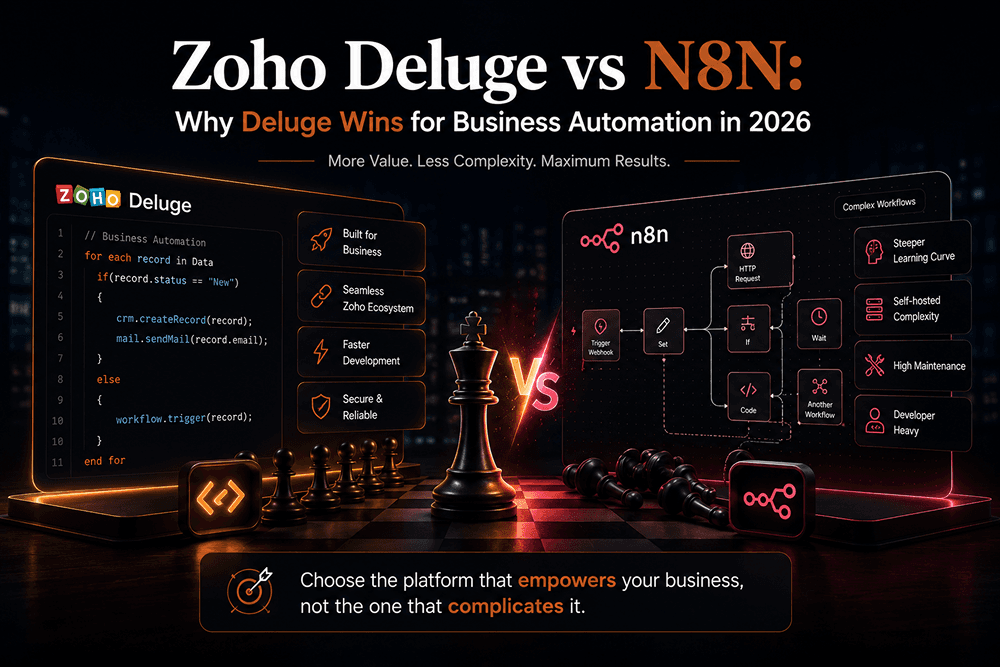
Like a well-balanced aquarium, every business needs an ecosystem where data, logic, and people flow without friction. Workflow automation is what keeps that ecosystem alive, and choosing the wrong tool is like dropping a goldfish into saltwater. In 2026, two names dominate the conversation: Zoho Deluge and N8N . Both promise to free your team from repetitive work. Only one truly fits most growing businesses.
This guide breaks down where Zoho Deluge outperforms N8N, where N8N still earns its place, and how I help businesses ship Deluge automations that actually run their operations rather than sit pretty on a canvas. If you came here looking for a quick verdict, I will give it to you now: for businesses already inside the Zoho universe, Deluge wins on cost, depth, security, and time to value. For everyone else, the answer is more nuanced. Read on for the full breakdown.
What Is Zoho Deluge?
Zoho Deluge , short for Data Enriched Language for the Universal Grid Environment , is Zoho's native scripting language for business automation. It runs on Zoho's cloud, executes inside more than 40 Zoho applications, and lets you write logic that triggers on events like record creation, form submission, payment received, or scheduled intervals.
Deluge is intentionally lightweight. The syntax reads like simplified JavaScript, so non-developers can pick it up in days. Underneath, though, it is powerful enough to call external APIs, run AI tasks via Zoho's Zia assistant, manage collections of data, and orchestrate complex multi-app workflows across Zoho CRM , Zoho Books , Zoho Creator , Zoho Desk, Zoho Inventory, Zoho People, and many more. For a deeper technical reference, the official Deluge documentation is excellent.
What Is N8N?
N8N (pronounced "nodemation") is an open-source workflow automation platform built around a node-based visual editor. You drag triggers and actions onto a canvas, connect them with lines, and N8N runs the workflow on a schedule or webhook. It is fair-code licensed, supports more than 1,000 integrations, and can be self-hosted on your own infrastructure, which is why developers love it.
N8N is excellent at one thing: connecting apps that do not naturally talk to each other. That strength is also its limitation when your business already lives inside an integrated suite like Zoho. I use N8N regularly on my own client projects (it is part of my core stack ), so this is not a hit piece. It is an honest comparison from someone who works with both tools.
A Quick Look at Deluge Syntax
Before we dig into the comparison, here is a small Deluge example so you can see how readable the language is. This snippet routes a new CRM lead to a sales rep based on geography:
// Get the new lead record
lead = zoho.crm.getRecordById("Leads", input.leadId);

// Decide owner by region
if(lead.get("State") == "West Bengal" || lead.get("State") == "Odisha")
{
    newOwner = "rep_east@yourcompany.com";
}
else if(lead.get("State") == "Maharashtra" || lead.get("State") == "Gujarat")
{
    newOwner = "rep_west@yourcompany.com";
}
else
{
    newOwner = "rep_default@yourcompany.com";
}

// Update the owner and create a follow-up task
updateMap = Map();
updateMap.put("Owner", newOwner);
zoho.crm.updateRecord("Leads", input.leadId, updateMap);

taskMap = Map();
taskMap.put("Subject", "Call new lead: " + lead.get("Last_Name"));
taskMap.put("Due_Date", zoho.currenttime.toString("yyyy-MM-dd"));
taskMap.put("Status", "Not Started");
zoho.crm.createRecord("Tasks", taskMap);

info "Lead routed to " + newOwner;
That is the entire automation. No webhooks, no API auth tokens, no infrastructure. The same logic in N8N would need a webhook trigger node, a Zoho CRM lookup node, an IF node tree, two Zoho CRM update nodes, and a task creation node, plus credentials configured for every Zoho service.
Zoho Deluge vs N8N: Head-to-Head Comparison
Here is the practical, no-nonsense comparison most articles avoid:
| Feature | Zoho Deluge | N8N |
|---|---|---|
| Type | Native scripting language | Node-based visual workflow tool |
| Hosting | Fully managed on Zoho Cloud | Cloud, self-host, or hybrid |
| Best for | Businesses using Zoho apps | Stitching together non-Zoho stacks |
| Learning curve | Low, JavaScript-like syntax | Medium, visual but needs node logic |
| Pricing | Included with Zoho subscriptions | €24+/month cloud or self-host costs |
| Infrastructure | None, runs serverless | VPS, Docker, scaling, security on you |
| Native Zoho integration | 40+ apps, deep field-level access | Surface-level via API connectors |
| External API calls |
Yes, with built-in
invokeurl
|
Yes, native HTTP nodes |
| AI capabilities | Built-in Zia assistant for code & logic | Add-on via OpenAI / Anthropic nodes |
| Security & compliance | Zoho-managed (SOC 2, GDPR, HIPAA tiers) | Your responsibility if self-hosted |
| Maintenance overhead | Near zero | Updates, backups, scaling, monitoring |
| Visual debugger | Inline log viewer + Zia code review | Execution panel with input/output trace |
| Version control | Built-in versioning per function | External Git required |
For a vendor-side view of the same comparison, Zoho also publishes its own N8N alternative page . It is naturally biased, but the feature matrix is accurate.
Why Zoho Deluge Wins for Business Automation
For most businesses, especially SMBs, agencies, and operations-heavy companies in India, Zoho Deluge is the better choice. Here is why.
1. Native depth that N8N cannot replicate
N8N connects to Zoho through API connectors. That works for surface-level tasks: create a contact, update a deal stage, send an email. But the moment you need to read a custom field on a related record, trigger a workflow inside a Zoho Creator app, or react to a Zoho Books invoice mid-execution, you hit API rate limits and the abstraction ceiling.
Deluge runs inside Zoho. It speaks the platform's native language: Blueprint stages, custom modules, subforms, lookup fields, related records, all of it. No webhook latency, no authentication juggling, no token-refresh failures at 3 AM.
2. Zero infrastructure to maintain
Self-hosting N8N gives you control. It also gives you a VPS to babysit, Docker images to update, SSL certificates that expire, queue workers that fall behind, and a backup strategy you will eventually need. With Zoho Deluge, the infrastructure is invisible. You write the script. It runs. Forever.
3. Lower total cost of ownership
If you are already paying for Zoho One or any Zoho subscription, Deluge is included. There is no separate license, no per-execution billing, no surprise scaling charges. N8N's cloud Pro plan runs roughly €60 per month per organization, plus engineer time to maintain workflows. Self-hosting saves the license but adds DevOps cost, and someone, eventually, has to own the server.
4. Enterprise security without the work
Zoho's data centers are SOC 2, ISO 27001, GDPR, and HIPAA-aligned. When Deluge runs your automation, customer data never leaves that perimeter. With self-hosted N8N, the moment a workflow handles PII or payment data, compliance becomes your problem, and one missed patch can void your entire audit.
5. AI built in, not bolted on
Zoho's Zia assistant now writes, refines, and analyzes Deluge code directly inside the editor.
Need to summarize a long document, extract insights from form responses, or generate a customer
reply? Deluge's
zoho.ai
wrappers do it natively. N8N can call OpenAI nodes, but each call is a separate API hop with its
own rate limits, costs, and failure modes.
6. Faster time-to-value
A working Deluge automation for, say, "auto-assign a lead to the nearest sales rep based on pincode and create a calendar event" can ship in under an hour for someone who knows the platform. The same flow in N8N requires modeling triggers, connecting four nodes, handling auth for each Zoho app separately, plus error branches and retries.
7. Mature marketplace and ecosystem
The Zoho Marketplace already hosts thousands of pre-built extensions, many written in Deluge. You can clone, fork, or extend them rather than building from scratch. N8N's community node library is growing but still smaller, especially for India-specific tools like Razorpay, Tally, ClearTax, and GST utilities.
Performance and Scalability: Where Deluge Pulls Ahead
Pure throughput is a fair question. Here is what actually happens at scale.
Deluge functions run on Zoho's elastic infrastructure. There is a per-function timeout (currently 5 minutes for synchronous calls) and a daily execution quota tied to your subscription tier. For 99% of business automations, those limits are invisible. When you do hit them, the fix is to split the work into scheduled batches, which Deluge handles cleanly with its built-in scheduler.
N8N performance depends entirely on the box it lives on. A small VPS will queue heavy workloads, fail webhooks under spike traffic, and silently drop long-running flows. To run N8N reliably at scale you need worker mode, Redis, PostgreSQL, and proper observability, which is essentially a small DevOps practice on top of the tool itself.
Translation: Deluge scales by default. N8N scales when you build the rest of the stack to support it.
When N8N Still Makes Sense
Honesty matters. N8N is the right call when:
- Your stack is not on Zoho. For example, you are running HubSpot, Slack, Notion, and Shopify and need glue between them.
- You require full data sovereignty and must self-host for compliance reasons.
- You want a visual canvas your non-technical operations team can read and edit.
- You need community nodes for niche tools that the Zoho Marketplace does not cover.
- You are building a SaaS product that needs an embedded automation builder for end users.
I keep N8N in my own stack precisely because not every client lives in Zoho. The point is not that one tool is universally better. It is that Deluge is dramatically better inside the Zoho ecosystem , which is where most growing businesses already operate.
Real Automation Scenarios Where Deluge Shines
Three examples that ship cleanly with Deluge:
- Deal-to-invoice reconciliation: When a deal is marked Won in Zoho CRM, Deluge cross-references the deal value against the matching invoice in Zoho Books, flags variances above 2%, and notifies finance. All in one script, no middleware.
- Conditional lead routing: A new web form submission triggers a Deluge function that evaluates source, geography, product interest, and rep workload, then assigns the lead and creates a follow-up task with an SLA timer.
- Inventory reorder logic: A daily scheduled Deluge function reads Zoho Inventory stock levels, calculates 30-day demand from sales orders, and auto-creates purchase orders when projected stock falls below threshold.
Each of these would require 5 to 10 connected nodes in N8N, plus authentication for each Zoho app, plus a webhook listener, plus error handling. In Deluge, they are tight, native scripts under 50 lines.
Industries That Benefit Most from Zoho Deluge
Across my client engagements and the wider Zoho community, certain industries see outsized ROI from Deluge automation:
- Real estate and property: Lead routing by property type and budget, automated viewing schedules, post-visit follow-ups, document workflow with Zoho Sign.
- Manufacturing and HVAC: Service ticket automation, technician dispatch, warranty tracking, and vendor reorder logic. (I built a Webflow front end for one such company, AMJ Mechanical , that pairs naturally with Zoho on the back end.)
- E-commerce: Order to fulfillment to invoice flows, Razorpay/Stripe reconciliation, abandoned cart recovery, and inventory sync with Shopify or WooCommerce. My Shopify work for The House of Abigail and The British Stripe Co. shows the storefront side of this stack.
- Education and coaching: Cohort enrollment, automated batch reminders, attendance tracking, certificate generation, and payment dunning.
- Agritech and rural services: Multilingual SMS workflows, mandi price syncing, and farmer onboarding logic. My agritech project Hamara Khet taught me how critical lightweight, reliable automation is for users on patchy networks.
- Professional services: Time tracking, invoicing, proposal generation, and CRM hygiene rules.
If your industry is not on this list, that does not mean Deluge will not fit. It usually means nobody has built the playbook yet, which is often the most valuable kind of automation work.
Common Zoho Deluge Mistakes to Avoid
I have inherited enough broken Deluge projects to know the patterns. The expensive ones repeat:
- Writing everything in a single giant function. Break logic into reusable custom functions, like you would with any other codebase. Single-function scripts are impossible to debug at scale.
- Skipping error handling. Deluge supports try-catch. Use it. Wrap every external API call so a single timeout does not silently kill an entire workflow.
- Logging like it is development forever. Verbose info logs are great while building. Strip them in production or you will burn through log storage faster than expected.
- Hard-coding IDs and emails. Use Zoho's organization variables or a small "config" form record. When the sales manager changes, you should update one record, not five scripts.
- No version control. Deluge has built-in versioning, but most teams ignore it. At minimum, copy scripts to a Git repo as a backup. (Mine live in my GitHub in private repos per client.)
- Testing only on happy paths. Run scripts against deleted records, empty fields, multi-currency edge cases, and timezone mismatches before going live.
How to Migrate from N8N to Zoho Deluge
If you already have N8N workflows touching Zoho, you do not need to rip everything out. Here is the migration approach I recommend:
- Audit first. List every active N8N workflow. Tag each by whether it touches Zoho only, Zoho plus external, or no Zoho at all.
- Move Zoho-only workflows to Deluge. These are the cheapest wins. Native execution, lower latency, no API rate limits.
- Keep cross-stack workflows in N8N for now. If a flow connects Zoho to Notion and Slack, leaving it in N8N may be fine. Revisit later if N8N becomes a bottleneck.
- Park no-Zoho workflows. They have nothing to do with Zoho. Leave them where they are.
- Document as you migrate. Write a short README per workflow with the trigger, purpose, owner, and dependent records. Future-you will thank present-you.
- Decommission carefully. Disable old N8N flows for two weeks before deleting. If nothing breaks, you can safely retire them.
Why Hire Me for Your Zoho Deluge Project
I am Snigdha Chandra Paik , a Frontend Developer and SEO specialist based in West Bengal, India, working with businesses across the UK, US, and India. You can read more about my background and philosophy on the about page . My approach is built on three principles:
- Systems thinking first. Before I write a line of Deluge, I map your business process end to end. Most automation projects fail because the underlying workflow was never documented properly, not because the code was bad.
- Production-grade code. Versioned scripts, clean naming, modular custom functions, error logging, and documentation your future developer can actually read. Not "it works on my machine."
- SEO plus automation crossover. Most Zoho consultants do not think about how automation feeds your marketing pipeline. I do. Lead capture, attribution, and content distribution are all part of the same ecosystem, which is exactly why I built my portfolio site around that idea.
You can see how this thinking shows up in real projects across my selected works , including the SaaS automation site for AMJ Mechanical, the corporate platform for Daikin TMI , the AI agritech build at Hamara Khet, and the React-based AI app Cute Mirror . Each one shipped with documented architecture, performance budgets, and an SEO foundation, the same standards I bring to Deluge work.
Pricing and Engagement Models
Transparent pricing. Three options depending on scope:
| Package | What's Included | Starting Price |
|---|---|---|
| Deluge Quickfix | Single workflow build, 1 revision, basic documentation. Ideal for small custom functions or one specific automation. | ₹15,000 / $180 |
| Automation Sprint | Up to 5 Deluge functions integrated end to end, full documentation, 30-day support, and a knowledge-transfer call with your team. | ₹60,000 / $720 |
| Full Zoho Build-Out | Process mapping, custom Zoho Creator app, multi-module Deluge automations, third-party API integrations, and 90-day support. | From ₹1,80,000 / $2,150 |
Hourly engagement is also available at ₹1,500 per hour for ongoing retainer work. Every project starts with a free 30-minute scoping call, which you can book via the contact page .
What's Included in Every Package
- Discovery call and written scope before any code is written
- Modular, commented Deluge code stored in version control
- Test cases run against edge data before deployment
- A short Loom walkthrough or live handoff session
- Plain-English documentation your team (not just developers) can read
Frequently Asked Questions
Is Zoho Deluge difficult to learn if I am not a developer?
No. The syntax is intentionally simple and reads like English. Operations managers I have worked with were reading and modifying scripts within two weeks. The hard part is not the language. It is designing the business logic correctly.
Can Zoho Deluge talk to apps outside the Zoho ecosystem?
Yes. Deluge's
invokeurl
task can call any REST API: Stripe, Razorpay, OpenAI, your CRM, your ERP, anything with an
endpoint. You can also receive webhooks via Deluge functions exposed as endpoints.
What if I already have N8N workflows running?
You do not need to migrate everything. A hybrid approach often works best: keep N8N for non-Zoho integrations and move Zoho-heavy logic into Deluge where it runs faster and cheaper. See the migration section above for a step-by-step plan.
Is Deluge faster than N8N for Zoho-related workflows?
Yes, in almost every realistic test. Deluge functions execute inside Zoho's infrastructure with direct database access. N8N has to hop through the public Zoho API, which adds latency and rate limit risk.
Can Deluge work with AI tools like ChatGPT or Claude?
Yes. You can call any AI provider's API via
invokeurl
, and Zoho's built-in Zia assistant provides AI features natively. I have shipped Deluge
functions that classify support tickets, summarize sales calls, and generate first-draft
proposals using a mix of Zia and external LLM APIs.
Do I need a Zoho One subscription to use Deluge?
No. Any Zoho product that supports Deluge (CRM, Creator, Books, Desk, and many more) includes it. Zoho One simply bundles them at a discount.
How long does a typical Zoho Deluge project take?
A focused single-workflow project usually ships in 3 to 5 working days. An Automation Sprint runs 2 to 3 weeks. A full build-out depends on scope, typically 6 to 10 weeks including discovery, build, testing, and training.
Do you only work with Zoho?
No. My core stack also includes Next.js, Three.js, Webflow, Shopify, N8N, and Python automation. Zoho Deluge is one tool in a wider toolkit, which is why I can honestly tell you when it is the right pick and when it is not. The full list lives on my portfolio home .
Where are you based and which timezones do you support?
I am based in South 24 Parganas, West Bengal, India (IST, GMT+5:30). I regularly work with clients in the UK, EU, and US, and I keep flexible hours for kickoff and review calls.
Further Reading
If you want to keep exploring Deluge and automation, here are good next steps:
- The official Zoho Deluge documentation for syntax reference.
- The Deluge product page for the latest AI and FaaS features.
- My own blog index for more automation and SEO writeups.
- The Zoho Marketplace for pre-built extensions you can clone and customize.
Final Take
If your business already runs on Zoho, or is seriously considering it, Zoho Deluge is the most cost-effective, scalable, and secure path to real automation . N8N is a brilliant tool, but it shines outside the Zoho perimeter, not inside it.
The right automation strategy is not about picking the trendiest tool. It is about choosing the one your ecosystem actually needs. Build the right pond before you bring in the fish.
If you would like to talk through your automation roadmap, you can reach out via the contact page , email me directly , or message me on WhatsApp . You can also browse more of my work on the projects page or follow along on GitHub , Instagram , or Facebook .
Want a website that actually ranks & converts?
Book a free 30-minute strategy call. No pitch — just a clear plan for your traffic, design, and conversions.
More in TECH
High-Performance Animations and Technical SEO That Lift Conversion Rates
Most agencies sell you animation, then quietly cost you conversions with it. Here is what the data says about speed and revenue, why UI motion is usually the thing breaking Core Web Vitals, and the exact rules we use to ship cinematic sites that still pass.
Website Developer in Kolkata: Modern Sites Built to Convert
Search "website developer in Kolkata" and you will mostly find WordPress-template agencies competing on who can call themselves the best the most times. Here is what a modern build actually looks like, with real projects you can click through.