Best SaaS Onboarding Software for React and Next.js
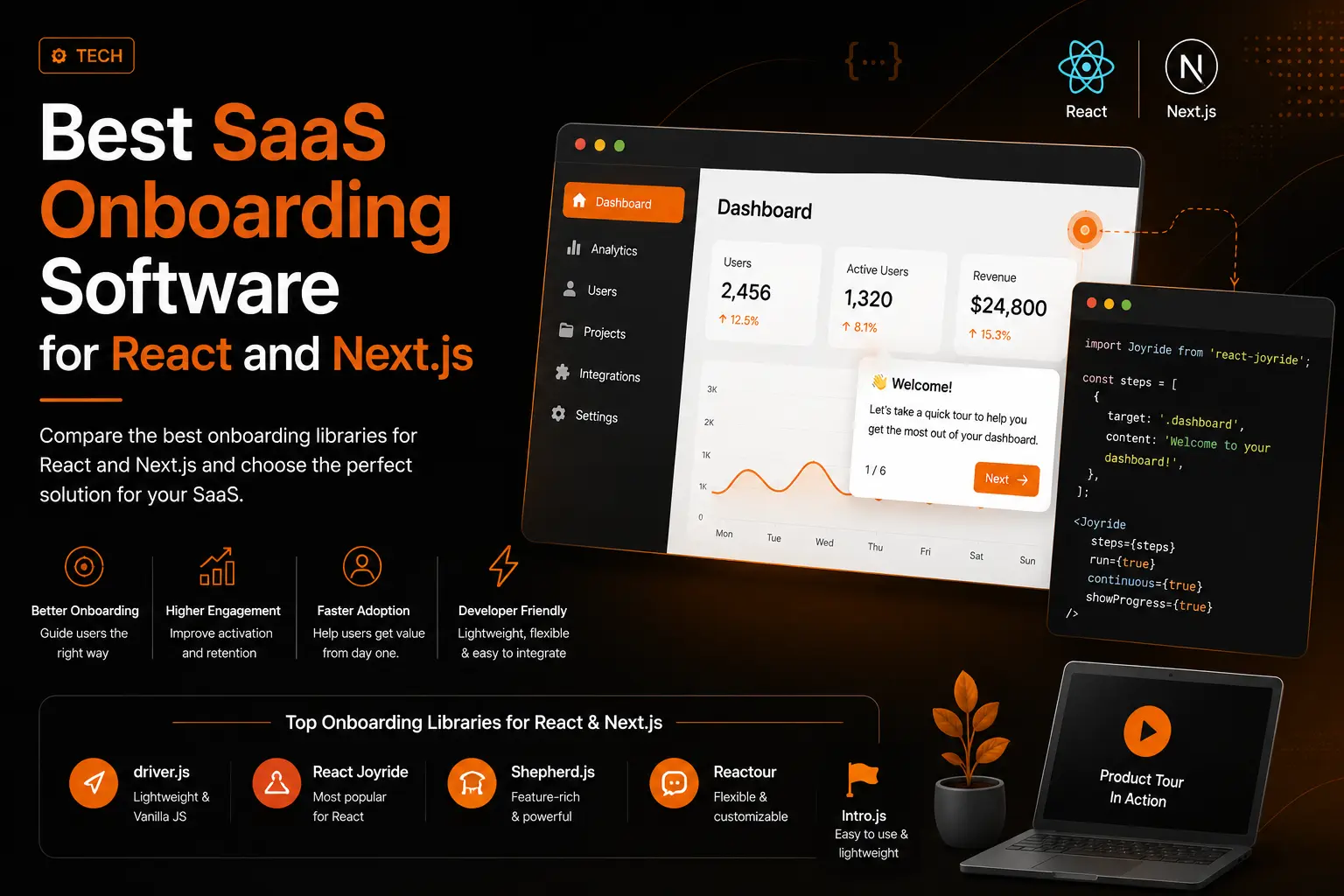
The best SaaS onboarding software depends on how you build
Most SaaS users decide whether your product is worth their time in the first few minutes, so the right onboarding flow is part of your growth engine, not a nice-to-have. But "best" is not one answer. It depends entirely on whether a product team is clicking buttons in a dashboard or a developer is shipping the flow in code.
This guide is written for teams building in React and Next.js who want real control over that first experience. It covers the best onboarding libraries, including the three you probably came for, Shepherd.js, Driver.js, and React Joyride, with accurate, current licensing (which most articles get wrong) and a complete, working guide to add a product tour in Next.js, including the fix for the error that trips up almost everyone. As a frontend and SEO developer, I build these flows for clients, so this is the same map I use on real projects. If you would rather hand it off, start with a free website audit or get in touch .
No-code platforms or an onboarding library?
There are two categories of SaaS onboarding software, and they solve different problems.
- No-code platforms such as Userpilot, Appcues, Pendo, and Chameleon. You build tours, checklists, and analytics in a dashboard for a monthly fee. Best when non-engineers need to edit flows and when segmentation and analytics matter more than pixel control.
- Developer libraries such as Driver.js, React Joyride, and Shepherd.js. You build the tour in code, own every detail, and pay no subscription. Best when the onboarding must feel native to your product and you have a developer to maintain it.
This guide focuses on the libraries, because that is where React and Next.js teams get the most control, the best performance, and no recurring bill. A no-code platform is worth it once you need cross-team editing and deep analytics, and I will point to that moment clearly.
The best onboarding libraries for React and Next.js
Here are the onboarding tools worth knowing, ordered roughly by how often they are the right first choice for a modern React or Next.js app.
Driver.js
Driver.js is the lightweight champion and the friendliest to Next.js. It is framework-agnostic, has zero dependencies, ships a tiny bundle, and is written in TypeScript. It is ideal for spotlight-style onboarding: highlight an element, show a popover, move to the next. It is also the fastest to set up, which is why the step-by-step guide below uses it as the main example.
License: MIT, so it is free for commercial use with no strings attached. If your need is "highlight five things in order," this is the right tool.
React Joyride
React Joyride is the most installed product tour library for React, at roughly 340,000 weekly downloads. To correct a claim you will still see repeated: version 3 rewrote the internals and supports React 16.8 through 19, with a smaller bundle of around 34 KB gzipped. You configure tours through a props object, using pre-built tooltips powered by Floating UI, and you can have a working walkthrough in about twenty minutes.
License: MIT. The trade-off is that deep customisation beyond the default look gets harder fast, but for most React and Next.js apps it is a dependable default.
Shepherd.js
Shepherd.js is the most flexible option if you want product-grade control. It pairs a vanilla JavaScript core (around 25 KB gzipped) with official React, Vue, and Angular wrappers, keeps default styles minimal so tours match your design system, and uses Floating UI so a step never ends up cropped or off-screen. It gives you a clean step system, modal overlays, and keyboard navigation.
License, and this is the catch: Shepherd.js is dual-licensed under AGPL-3.0 and a commercial license. It is free for open-source and personal use, but a commercial license is required for revenue-generating companies, even for internal tools. For most SaaS products, that means a paid license. It also needs extra care in Next.js, covered below.
Intro.js
Intro.js is one of the oldest and most battle-tested tour libraries, strong for step-by-step intros, hints, and tooltips.
License: like Shepherd.js, Intro.js is AGPL-3.0 and needs a commercial license for commercial products. The AGPL terms often trigger a legal review, so many commercial teams rule it out early.
Reactour
Reactour (the @reactour/tour package) is a React-first library focused on simplicity. Fewer features than the heavyweights, but a smaller bundle, an easy API, and a permissive license. A clean choice when you want a straightforward React tour without ceremony.
Onborda (Next.js native)
Onborda is built specifically for the Next.js App Router, using Framer Motion and a Radix portal to animate transitions, including across routes via a MutationObserver, without ever leaving the tour. If your whole stack is Next.js App Router, it removes most of the SSR plumbing you would otherwise write. It has a smaller community, so confirm its current license before shipping.
NextStepjs (Next.js native)
NextStepjs is another Next.js-first option, inspired by Onborda, using Framer Motion for animation and Tailwind for styling. Its standout feature is multi-route tours through navigation adapters for Next.js, React Router, and Remix, so a single tour can walk a user across several pages. Worth a look if your onboarding spans more than one screen.
SaaS onboarding libraries compared
The honest side-by-side, so you can match the tool to your stack and licensing needs.
| Library | Best for | Framework | License | Notes |
|---|---|---|---|---|
| Driver.js | Lightweight spotlight tours, fast setup | Agnostic | MIT | Zero dependencies, tiny bundle, easiest Next.js fit |
| React Joyride | React-first walkthroughs | React | MIT | Most installed, ~34 KB, supports React 16.8 to 19 |
| Shepherd.js | Highly customised, product-grade tours | Agnostic (React, Vue, Angular) | AGPL-3.0 or commercial | ~25 KB core, needs care in Next.js |
| Intro.js | Mature step-by-step intros and hints | Agnostic | AGPL-3.0 or commercial | Very stable, heavier, legal review likely |
| Reactour | Simple React tours | React | Permissive | Small bundle, easy API |
| Onborda | Next.js App Router native tours | Next.js and React | Verify current terms | Framer Motion, animated route transitions |
| NextStepjs | Multi-route Next.js tours | Next.js and React | Verify current terms | Navigation adapters for cross-page flows |
The license trap most SaaS teams miss
This is the check that generic listicles skip, and several get it wrong. Not all "open source" is the same, and the difference is a real budget decision.
- MIT, free for commercial use: Driver.js, React Joyride, and Reactour. Ship these in a revenue-generating SaaS with no license fee.
- AGPL-3.0, commercial license required: Shepherd.js and Intro.js. Free for open-source and personal projects, but for-profit companies need a paid license, even for internal dashboards.
If you are building a commercial SaaS and want to stay permissive, your shortlist usually starts with Driver.js or React Joyride. If you want Shepherd.js or Intro.js, budget for the commercial license. Getting this wrong is an expensive surprise, so I confirm it on every project. It is exactly the kind of thing I check in a website audit .
How to add a product tour in Next.js
Now the part most guides leave out. Onboarding libraries need the browser, and Next.js renders on the server by default, so there are a couple of rules. Follow them and integration is quick. This guide uses Driver.js because it is MIT licensed, tiny, and the cleanest fit, then shows the React Joyride variant.
Why tours break in Next.js App Router
In the App Router, components are Server Components by default. A tour library expects a browser, so two things go wrong if you wire it up naively:
-
ReferenceError: window is not defined.
If you import a tour library at the top of a Server Component, Next.js runs that import on the
server during the build, where
windowdoes not exist, and the build fails. Shepherd.js is especially prone to this because its React wrapper readswindowat import time, not just at render time. - Hydration mismatches. Tour overlays injected before hydration can clash with the server-rendered HTML.
The fix is two-fold: mark the tour component as a Client Component with the "use client" directive and start it inside a useEffect (which only runs in the browser), and for anything that touches browser APIs at import time, load it with a dynamic import so the server skips it entirely.
Step 1: install the library
npm install driver.jsStep 2: build a client-side tour component
The "use client" directive must sit at the very top of the file, before any imports. The tour runs inside useEffect, and localStorage stops it repeating for a returning user.
// app/components/ProductTour.tsx
"use client";

import { useEffect } from "react";
import { driver } from "driver.js";
import "driver.js/dist/driver.css";

export default function ProductTour() {
  useEffect(() => {
    // Show the tour only once per user
    if (localStorage.getItem("tourDone")) return;

    const tour = driver({
      showProgress: true,
      steps: [
        {
          element: "#dashboard",
          popover: {
            title: "Your dashboard",
            description: "Everything you need lives here.",
          },
        },
        {
          element: "#new-project",
          popover: {
            title: "Create a project",
            description: "Start here to add your first project.",
          },
        },
        {
          element: "#settings",
          popover: {
            title: "Settings",
            description: "Fine-tune your workspace anytime.",
          },
        },
      ],
      onDestroyed: () => localStorage.setItem("tourDone", "true"),
    });

    tour.drive();
  }, []);

  return null;
}
Step 3: render it client-side only
Load the component with a dynamic import and ssr set to false. This is what prevents the window is not defined error, because the server never evaluates the module. In the App Router, ssr: false must be used inside a Client Component, so the page below carries its own "use client" directive.
// app/page.tsx
"use client";

import dynamic from "next/dynamic";

const ProductTour = dynamic(() => import("./components/ProductTour"), {
  ssr: false,
});

export default function Page() {
  return (
    <main>
      <section id="dashboard">Dashboard</section>
      <button id="new-project">New project</button>
      <a id="settings">Settings</a>
      <ProductTour />
    </main>
  );
}
For a simple Driver.js tour the useEffect alone is often enough, since effects never run on the server. The dynamic import is the safety net you want for any library, like Shepherd.js, that reads browser APIs the moment it loads.
Step 4: trigger the tour at the right moment
Starting on first mount works for a simple welcome. For anything more, tie the tour to a real trigger: a "Take the tour" button, a first successful login, or an empty-state screen. The localStorage guard fires it once, not on every visit. For multi-user products, store the completion flag against the user in your database so the state follows them across devices.
React Joyride in Next.js
React Joyride is React-native, so it slots into a Client Component cleanly. Same rule: mark the file "use client" and drive the tour from state.
// app/components/JoyrideTour.tsx
"use client";

import { useState } from "react";
import Joyride from "react-joyride";

export default function JoyrideTour() {
  const [run] = useState(true);

  const steps = [
    { target: "#dashboard", content: "Everything you need lives here." },
    { target: "#new-project", content: "Start here to add your first project." },
    { target: "#settings", content: "Fine-tune your workspace anytime." },
  ];

  return (
    <Joyride
      steps={steps}
      run={run}
      continuous
      showProgress
      showSkipButton
    />
  );
}
Load it the same way through a client component, and add the dynamic import if you hit any server-rendering error. For the underlying rules, the Next.js docs on dynamic imports are the source of truth.
Next.js App Router compatibility at a glance
| Library | Works in App Router | How to wire it |
|---|---|---|
| Driver.js | Yes | "use client" plus useEffect, dynamic import optional |
| React Joyride | Yes | Inside a "use client" boundary |
| Shepherd.js | Yes, with care | Needs dynamic import with ssr: false (reads window on import) |
| Onborda | Yes | Built for App Router |
| NextStepjs | Yes | Built for App Router, multi-route aware |
| Intro.js | Yes | "use client" plus useEffect |
How to design onboarding that actually works
The library is half the job. A tour that annoys people is worse than none. These are the rules I hold to on client projects:
- Keep it short. Three to five steps, each pointing at the one action that leads to the product's "aha" moment. Do not tour the whole interface.
- Target stable hooks. Attach steps to dedicated data attributes, such as data-tour="dashboard", not fragile CSS classes that change when you restyle.
- Wait for elements. Do not start the tour until its targets have rendered, especially after async data loads or route changes.
- Make it skippable and repeatable. Always offer a skip button, and let users replay the tour from a help menu.
- Respect accessibility. Keyboard navigation, visible focus, and readable contrast are non-negotiable.
- Measure it. Track completion rate and the step where people drop off, then cut or rewrite that step.
Onboarding is a lot like tending a new plant: guide the first growth carefully, then get out of the way. Do it well and activation climbs. For more on building sites that convert, see my recent work .
Which onboarding tool should you choose?
Match the tool to your situation and the decision is easy:
- You want the lightest, fastest, MIT-licensed option: use Driver.js.
- You have a React or Next.js app and want a proven default: use React Joyride.
- You want deep, product-grade customisation and can pay for a license: use Shepherd.js.
- Your whole stack is Next.js App Router: evaluate Onborda or NextStepjs.
- You need analytics, segmentation, and no-code editing: consider a paid platform like Userpilot or Appcues.
Pick a permissive license unless you have a clear reason not to, keep the flow short, and measure what happens. If you would rather have onboarding built properly, fast, accessible, and tuned for activation, take a look at my work , start with a free website audit , or reach out to talk through your product.
Frequently asked questions
What is the best onboarding library for Next.js?
Driver.js is the cleanest fit because it is tiny, MIT licensed, and works smoothly in client components. React Joyride is the strongest React-native choice, and Onborda and NextStepjs are purpose-built for the Next.js App Router, with NextStepjs adding multi-route tours.
Why do I get "window is not defined" in Next.js?
Because the tour library was imported into a Server Component and evaluated on the server during the build, where the browser's window object does not exist. Mark the tour as a Client Component with "use client", run it inside useEffect, and import it dynamically with ssr set to false so the server skips it.
Is Shepherd.js free for commercial use?
No. Shepherd.js is dual-licensed under AGPL-3.0 and a commercial license. It is free for open-source and personal projects, but revenue-generating companies need a paid commercial license, even for internal tools.
Does React Joyride support React 19?
Yes. React Joyride version 3 supports React 16.8 through 19 and ships a smaller bundle than version 2, around 34 KB gzipped. Claims that it lacks React 19 support are inaccurate.
What is the best SaaS onboarding software overall?
For developer-built onboarding, Driver.js and React Joyride are the best MIT-licensed options, and Shepherd.js is the most powerful if you can pay for its commercial license. For no-code, dashboard-driven onboarding, platforms like Userpilot and Appcues lead. The right pick depends on your stack, budget, and how much control you want.
Should I use a library or a no-code platform?
Use a library when you want full control, top performance, and no subscription, and you have a developer to maintain it. Move to a no-code platform when segmentation, analytics, and cross-team editing matter more than fine-grained control.
Want a website that actually ranks & converts?
Book a free 30-minute strategy call. No pitch — just a clear plan for your traffic, design, and conversions.
More in TECH
Next.js SEO for AI Search: How to Get Your Site Seen in ChatGPT and Google AI Mode
ChatGPT, Claude and Perplexity read your raw HTML and skip your JavaScript. Learn how to make a Next.js site visible in AI search, from the Cache Components trap and htmlLimitedBots bugs to robots.ts, Content Signals, firewall checks, JSON-LD and crawler tests that prove it works.
Why Legal Pages Matter for Ecommerce and SaaS Companies?
Every guide to website legal pages is written by a lawyer selling a template. None of them explain how these pages actually affect your conversion rate, your SEO, or why your cookie banner is probably not doing what you think it does. Here is the build side of the story, with the real fines, lawsuits, and checklists attached.