Native View Transitions in Next.js: A Practical Guide
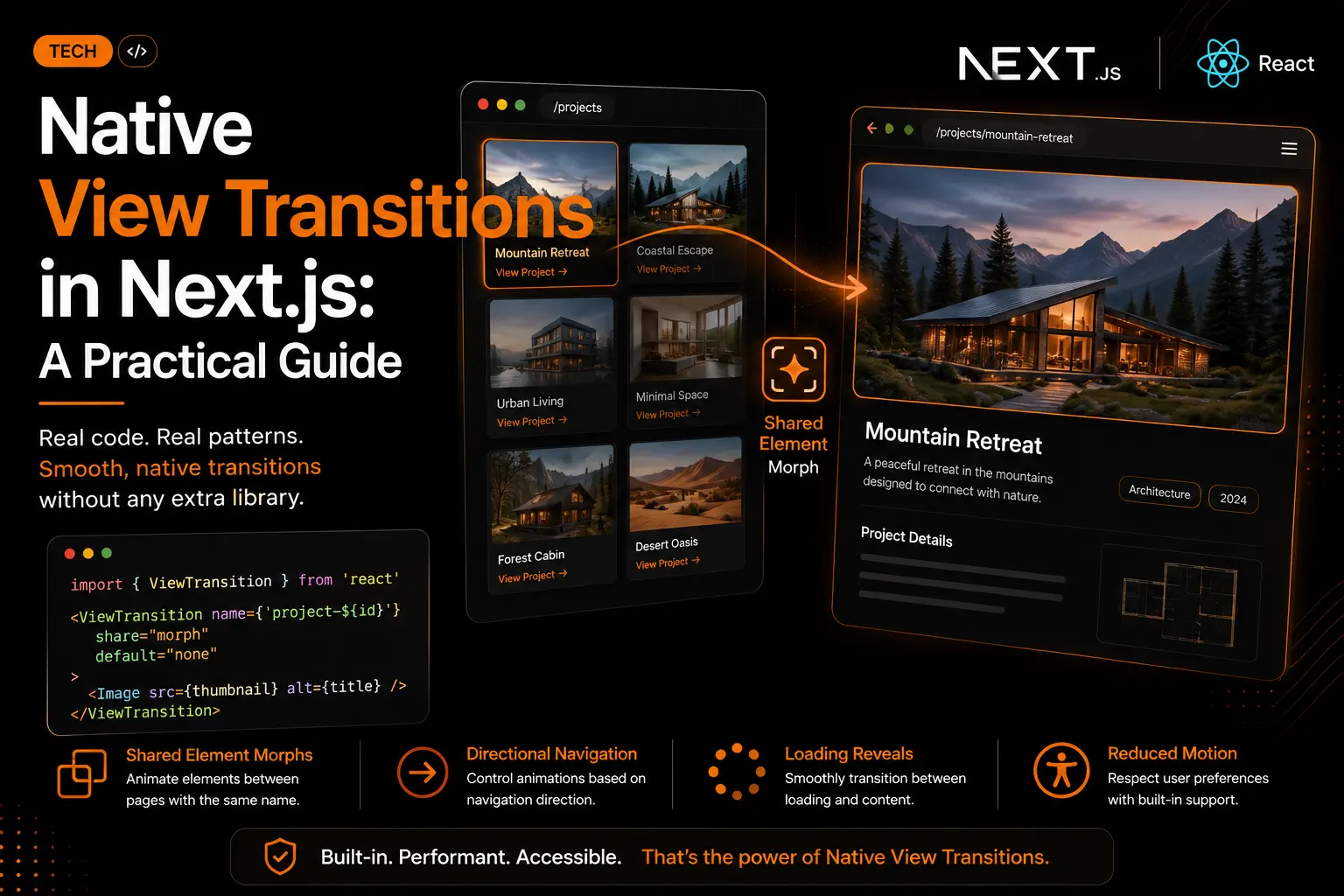
If you upgraded to Next.js 15 or React 19 and your page transitions suddenly stopped working, you are not alone. The popular next-view-transitions library that half the internet's Next.js tutorials rely on is not compatible with React 19, and most existing guides on this topic were written before that break happened. This post covers what actually replaced it: native view transitions built directly into React and the App Router, no third-party library required.
What Changed: View Transitions Are Now Native
For a while, animating between Next.js routes meant installing next-view-transitions, wrapping your layout in a provider, and manually calling document.startViewTransition under the hood. That library was a bridge until the real thing arrived. It has now arrived. React ships a native ViewTransition component, and the browser's View Transitions API itself reached Baseline status in October 2025, meaning it works across current versions of Chrome, Edge, Safari, and Firefox, not just Chromium as older articles still claim.
In the Next.js App Router, this works with zero configuration. No feature flag, no next.config changes, no npm install. You import ViewTransition straight from react.
import { ViewTransition } from 'react'
Why the Old Library Broke
next-view-transitions was built around the Pages Router era pattern of manually intercepting navigation and calling the browser API yourself. React 19's ViewTransition component and the App Router's Suspense-based rendering model work differently under the hood, which is why the old approach conflicts with the new one instead of simply extending it. If you are on Next.js 15 or newer, the fix is not a patched version of the old library, it is switching to the native component entirely.
Pattern 1: Shared Element Morphs
The most useful pattern for a portfolio or agency site is morphing a project thumbnail directly into its detail page hero image, so the user sees one object moving rather than one image disappearing and another popping in. Wrap both the grid thumbnail and the detail page hero in a ViewTransition with the same name.
// components/project-grid.tsx
import { ViewTransition } from 'react'
import Image from 'next/image'
import Link from 'next/link'

function ProjectGrid({ projects }) {
  return (
    <div className="grid grid-cols-3 gap-4">
      {projects.map((project) => (
        <Link key={project.id} href={`/projects/${project.slug}`}>
          <ViewTransition name={`project-${project.id}`}>
            <Image src={project.thumbnail} alt={project.title} />
          </ViewTransition>
        </Link>
      ))}
    </div>
  )
}
// app/projects/[slug]/project-hero.tsx
import { ViewTransition } from 'react'
import Image from 'next/image'

async function ProjectHero({ id, thumbnail, title }) {
  return (
    <ViewTransition name={`project-${id}`}>
      <div style={{ position: 'relative', aspectRatio: '16 / 9' }}>
        <Image src={thumbnail} alt={title} fill />
      </div>
    </ViewTransition>
  )
}
React matches elements by the name prop across the old and new page, then animates their size and position automatically. No manual position tracking, no animation library required. To soften the morph with a slight blur mid-flight, add share="morph" and default="none", then target the transition in CSS.
::view-transition-group(.morph) {
  animation-duration: 400ms;
}
::view-transition-image-pair(.morph) {
  animation-name: soften;
}
@keyframes soften {
  30% {
    filter: blur(3px);
  }
}
Pattern 2: Loading Reveals with Suspense
When a project detail page fetches data asynchronously, you can animate the handoff between a loading skeleton and the real content instead of letting it pop in instantly. Wrap the Suspense fallback with an exit animation and the resolved content with an enter animation.
import { Suspense, ViewTransition } from 'react'

export default async function ProjectPage({ params }) {
  const { slug } = await params

  return (
    <Suspense
      fallback={
        <ViewTransition exit="slide-down" default="none">
          <ProjectSkeleton />
        </ViewTransition>
      }
    >
      <ViewTransition enter="slide-up" default="none">
        <ProjectContent slug={slug} />
      </ViewTransition>
    </Suspense>
  )
}
Good motion here is asymmetric. The old content should leave fast so it does not linger and compete for attention. The new content should arrive slightly slower so the user has time to register it. A 150ms exit paired with a 210ms enter feels natural in most interfaces.
Pattern 3: Directional Navigation
Forward and back navigation should not look identical. Content moving left reads as going deeper, content moving right reads as returning, the same convention used in native mobile apps. Tag your links with transitionTypes to signal direction.
<Link href={`/projects/${project.slug}`} transitionTypes={['nav-forward']}>
  {/* project card */}
</Link>

<Link href="/projects" transitionTypes={['nav-back']}>
  ← Back to Projects
</Link>
Then wrap each page's content in a ViewTransition that maps those types to directional CSS animations. This wrapper goes in page.tsx, not layout.tsx, since layouts persist across navigation and never fire an enter or exit.
<ViewTransition
  enter={{ 'nav-forward': 'slide-in', 'nav-back': 'slide-back', default: 'none' }}
  exit={{ 'nav-forward': 'slide-out', 'nav-back': 'slide-return', default: 'none' }}
  default="none"
>
  {children}
</ViewTransition>
Keeping a Fixed Header in Place
If your site has a persistent header or navigation bar, a directional slide can make it look like it moves too, which breaks the user's sense of a fixed anchor point. Give the header its own view transition name and explicitly suppress its animation.
<header style={{ viewTransitionName: 'site-header' }}>
  {/* nav links */}
</header>
::view-transition-group(site-header) {
  animation: none;
  z-index: 100;
}
::view-transition-old(site-header) {
  display: none;
}
The display: none on the old snapshot prevents a brief flash where two headers overlap during the animation.
Staying Interactive Mid-Transition
By default, the transition overlay captures pointer events, so a click during the animation gets swallowed. Restore interactivity with a single rule.
::view-transition {
  pointer-events: none;
}
Pattern 4: Crossfading Content in the Same Route
Not every content change is a navigation. If a page has tabs, for example switching between client testimonials or filtering a portfolio by category, a directional slide would be the wrong signal, since the user has not gone anywhere. Use a ViewTransition keyed to the changing value instead, which triggers a clean crossfade.
<ViewTransition key={activeCategory} name="portfolio-content" share="auto" enter="auto" default="none">
  <PortfolioGrid category={activeCategory} />
</ViewTransition>
Respecting Reduced Motion
Directional slides are the pattern most likely to bother users with motion sensitivity, since they simulate movement across the whole viewport. Morphs and crossfades are lower risk since they rely more on scale and opacity. The simplest fix disables all transition animation for users who have reduced motion enabled at the system level.
@media (prefers-reduced-motion: reduce) {
  ::view-transition-old(*),
  ::view-transition-new(*),
  ::view-transition-group(*) {
    animation-duration: 0s !important;
    animation-delay: 0s !important;
  }
}
Without animation, content still swaps correctly, it just happens instantly instead of gradually, which is the accessible default behavior.
Browser Support: What Native Actually Means Now
A lot of still-ranking articles describe this as an experimental, Chromium-only feature. That is out of date. The View Transitions API reached Baseline availability in October 2025, meaning it now works in current versions of every major browser. Some of React's newer integration details, like transition types and view-transition-class, need Chromium 125 or newer plus recent Safari and Firefox builds, and Safari can still behave slightly differently on certain animations. Where the API is unsupported, navigation simply works as normal with no animation, so there is no fallback code to write.
A New Way to Ship This Faster
Next.js now documents an installable coding agent skill for this exact feature, letting an AI coding assistant apply these patterns directly to an existing app instead of writing every CSS keyframe by hand. If your workflow already leans on AI-assisted development, this is worth knowing exists, since it turns a multi-hour animation pass into a guided, reviewable change.
Should You Still Use Framer Motion?
Not necessarily instead of it, but for a smaller, more targeted job in most cases. Framer Motion is still the stronger choice for gesture-driven interactions like drag, pan, and spring physics, and for animations that need to run before React 19 or the App Router are available. For route level transitions, shared element morphs, and list reordering, native view transitions now handle what used to require a full animation library, with less client-side JavaScript shipped to the browser.
| Use case | Better fit |
|---|---|
| Route and shared element transitions | Native View Transitions |
| Loading state handoffs | Native View Transitions |
| Drag, pan, or spring-based gestures | Framer Motion |
| Complex, multi-step choreographed animation | Framer Motion |
Where We Are Using This
We are rolling native view transitions into our own portfolio site , starting with the project grid, so clicking a project card like Ghar Bar Boutique Stay & Cafe morphs directly into its case study page instead of a hard page swap. It is a small detail, but on a portfolio, small details like this are part of the pitch.
FAQs
Do I need to install anything for native view transitions in Next.js?
No. The App Router uses React canary releases that already include the ViewTransition component, so you import it directly from react with no extra package and no next.config flag.
Does the next-view-transitions library still work on Next.js 15?
It is not compatible with React 19, which Next.js 15 and newer rely on. If your transitions broke after upgrading, that library is the likely cause, and the native ViewTransition component is the replacement, not a newer version of the same package.
Will this work in Safari and Firefox?
Yes, in current versions. The View Transitions API reached Baseline status in October 2025. A few of React's newer integration features need more recent browser versions, and Safari can render some animations slightly differently, but the core patterns work across all major browsers today.
Do I still need Framer Motion?
For route transitions and shared element morphs, usually not anymore. For gesture-driven or highly choreographed animation, Framer Motion is still the better tool.
Want This Built Into Your Site?
Native view transitions are one of those details that make a Next.js site feel like a native app instead of a stack of pages. If you want this added to your portfolio, product site, or client platform, get a free website audit or get in touch and we will scope it against your existing setup.
Want a website that actually ranks & converts?
Book a free 30-minute strategy call. No pitch — just a clear plan for your traffic, design, and conversions.
More in TECH
Next.js SEO for AI Search: How to Get Your Site Seen in ChatGPT and Google AI Mode
ChatGPT, Claude and Perplexity read your raw HTML and skip your JavaScript. Learn how to make a Next.js site visible in AI search, from the Cache Components trap and htmlLimitedBots bugs to robots.ts, Content Signals, firewall checks, JSON-LD and crawler tests that prove it works.
Why Legal Pages Matter for Ecommerce and SaaS Companies?
Every guide to website legal pages is written by a lawyer selling a template. None of them explain how these pages actually affect your conversion rate, your SEO, or why your cookie banner is probably not doing what you think it does. Here is the build side of the story, with the real fines, lawsuits, and checklists attached.